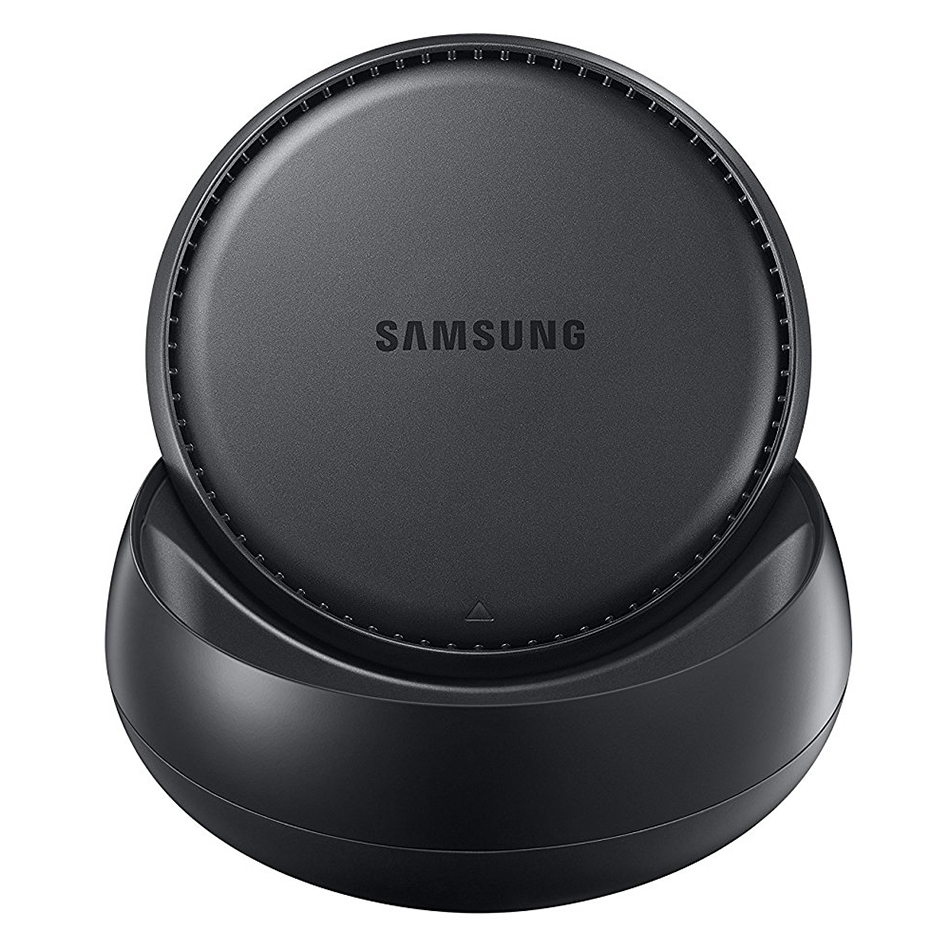
The Samsung DeX Docking Station converts the Galaxy S8 and Galaxy Note 8 and more (see below) into a desktop computer and workspace.
Samsung DeX gives you what you want from a desktop experience: a big screen, a full-size keyboard and a mouse. Just plug your phone into the DeX Station to use apps, review documents and set or check notifications on a desktop interface.
The DeX Station offers a true desktop PC experience. By docking the Galaxy, your phone will launch a special DeX mode on the connected external monitor and applications can be opened in multiple separate windows.
Connect a mouse, keyboard, and Ethernet cable for added productivity.
Features
- Unique, convertible design.
- Closes to flat disk for easy packing when travelling.
- Charges your phone when docked.
- Connects to a monitor, keyboard and mouse.
- Remotely access your home desktop.
- Keeps your phone charged and cool.
- Access your apps in a larger desktop environment.
Specifications
- Ports:
- USB-A 2.0 (x2)
- USB-C (Type-C)
- RJ45 (Ethernet)
- HDMI (Output)
Compatibility
- Universal support for the following Samsung devices:
- Galaxy Note 8
- Galaxy Note 9
- Galaxy S8
- Galaxy S8+
- Galaxy S9
- Galaxy S9+
- Galaxy S10
- Galaxy S10+
- Galaxy S10e
What's in the Package?
- Samsung DeX Station
- Quick Start Guide
Support Notes
- When using Samsung DeX, actual mobile display turns into standby mode.



 Check
Check